top of page

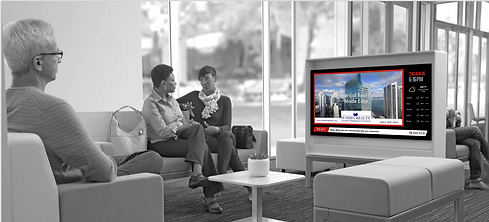


Managing your screen content is very simple. With your Milner Media service, all the work is done for you. All you need to do is upload your raw material, ie document, images, video and tell us when you want it published to play. Thats, it, we do the rest!
Frequently asked questions
General FAQ's
TV Guide
Unfortunately, ONTV's channel guide service is distributed through special providers, such as Private Cable Operators, hotel and apartment management companies, and owners. If your cable TV service does not offer a guide or community channel, ask your provider to call us at 877-ITS-ONTV. We'll be happy to provide service.
Your software has expired. This happened because our servers have not been able to automatically connect to your unit for updates. If you were not notified automatically prior to this happening, contact customer service to have your email address added to our system notification list. To resolve your connectivity problem, log into myontv.com and force an update by clicking Update Machine. You will be notified if your update was successful or unsuccessful. Contact customer service at any time for assistance: 877-ITS-ONTV.
If you subscribe to our channel guide service, adding the community channel service is free and easy. Order the Concierge community channel upgrade, and you will receive the community channel adapter. Connect this adapter to your unit and the output cable to your new modulator for this channel. When you are connected, contact customer service and we'll activate your new community channel.
Yes. We encourage our clients to use our advanced Media Pro service for advertising purposes and generate additional revenue. Start by choosing the appropriate guide service. Then design and post your own background guide images and banners. To use the community channel for advertising, click Advanced User.
Yes, here's why, your content is all unique, some pieces you may want displaying for 3 seconds, some for 30 seconds. It all depends upon how long you want that image to be shown. When creating a video from a static image, you set the play time of the video. It's really easy to do with tools like spark.adobe.com. A free video creation tool!
The Concierge channel is a web page, if your unit is not connected to the Internet, check this first. Once you have confirmed that the internet connection is working once again, log in (http://admin.myontv.com)and click on Submit and a refresh will occur. Power cycling the unit will also force a refresh.
First, you need to log in to your account. (http://admin.myontv.com) Then, you have a choice, use our simple default tool, or, if you're adventurous, you may select our advanced option. Navigate to the Community Channel section of the option menu. To use the simple tool, simply go to the message field, enter your message, start date and end date and submit. You're all done. Adventurous people, select "Advanced..." from the top of the page. Here you may add any url which you would like to display, ie a hosted Google Slides, a w(http://slides.google.com)eb site or similar. Add many more and we will play a show automatically.
bottom of page